Techkon releases ChromaQA 7.5
ChromaQA 7.5 brings 18 new features and enhancements across Spec, Press, Standards, Admin and SmartInk.
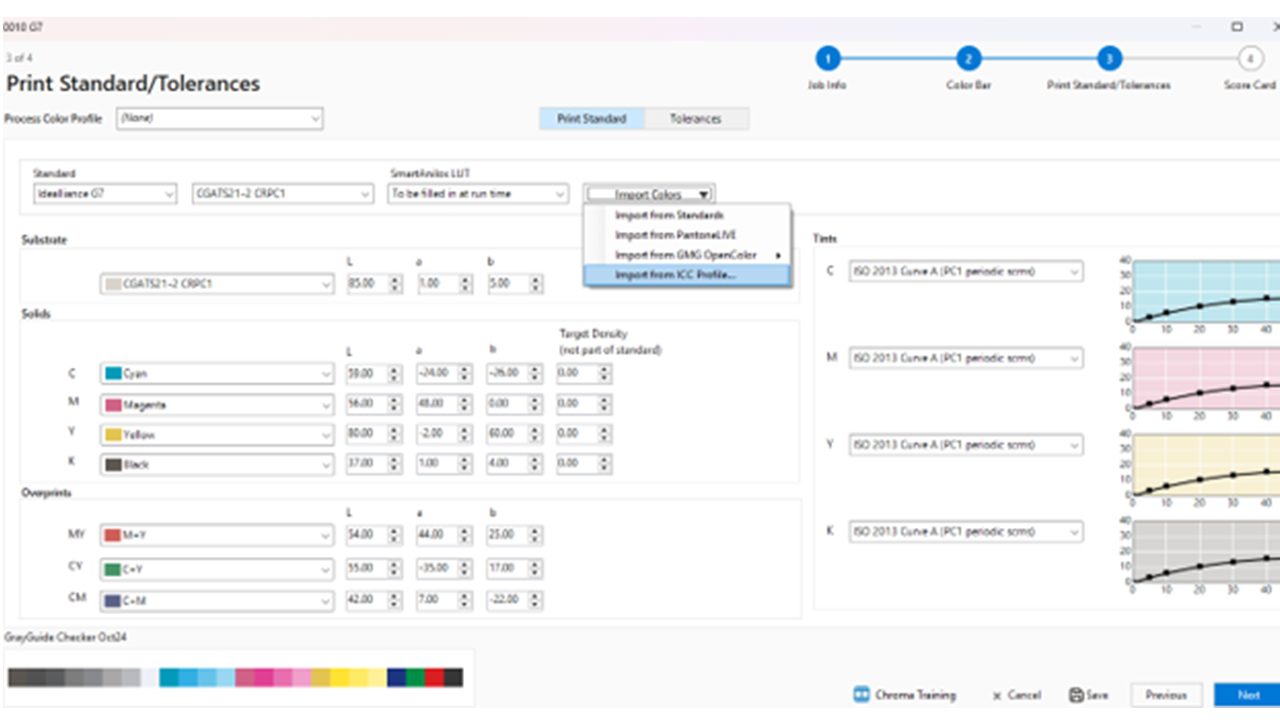
Techkon has released ChromaQA 7.5, bringing 18 new features and enhancements across Spec, Press, Standards, Admin and SmartInk. Highlights include the ability to specify measurement locations within artwork, import color standards from an ICC profile, customize drawdown reports and create multiple ScoreCards.
Across the ChromaQA suite, version 7.5 gives users more control over how color standards are created, measured, evaluated and reported. The release also expands support for PantoneLive, Colibri colorant sets, SmartInk corrections and SpectroCheck calibration reporting, helping printers and brands simplify everyday color quality workflows.
'ChromaQA 7.5 offers more flexible color quality control for printers and brands than ever before,' Martin van Balkom, VP of marketing, Techkon USA.
When creating templates in Chroma Spec, it is now possible to upload a PDF or JPG image of the printed artwork. This not only allows the press operator to have visual confirmation of the print job but also enables the user to specify the exact measurement locations inside the image after selecting the color standards.
When building job templates in Chroma Spec, the option now exists to import print standards directly from an ICC profile (in addition to importing from Chroma Standards, PantoneLIVE or GMG OpenColor). CIELab values and TVI curves can be imported. ICC v2 and v4 are supported, as well as CMYK and multi-channel profiles.
Customized drawdown reports can now be created in Chroma Standards with just a few clicks, printed or saved as PDF to easily share with end customers.
When accessing PantoneLive colors in Chroma Standards, Techkon added the ability to select illuminant/observer combination. Once set, ChromaQA will target the CIELab values for the selected illuminant/observer combination while taking samples.
Substrate Opacity is now a new metric available in Chroma Press. Turn it on when creating a color bar and set the aim opacity value and tolerance in the template; press operators then must measure over white and black, and the opacity will be displayed and attached to the job results.
Multiple ScoreCards can now be created and customized for the different scoring requirements (eg in-house scoring, GMI, brand specific) using Chroma Admin. Additionally, a new feature allows users to set upper limit thresholds that no single color can exceed. This new feature provides greater flexibility, helping to detect problems immediately that might otherwise be hidden by only using averaged values.
A new ability to disable colors from standard color bars has been introduced. This allows the user to work with fewer color bar layouts.
Users can now import a Colibri colorant set, and ChromaQA will automatically create a colorant set for use within SmartInk, saving time and eliminating the need to create new drawdowns.
SpectroCheck now supports a report displaying reference values, measured values and deltaE values after calibrating the device. This additional documentation is helpful for ISO compliance.
Other enhancements include SmartInk corrections that enable greater precision when using the 'Show in Cups' feature. With this, corrections are automatically rounded to ¼ cup and recalculated, showing the precise predicted delta E. Color Book sorting is now also supported in Chroma Standards. Color books can be sorted by name, as well as date created and modified, making it more convenient to work with large color book collections. Master templates can now be created in Chroma Spec, simplifying the previous process of duplicating existing templates. Individual Color deltaE tolerances can now be defined in Chroma Standards. If individual tolerances are set, they will override the global value set in the template.
Stay up to date
Subscribe to the free Label News newsletter and receive the latest content every week. We'll never share your email address.